 双旋网络
双旋网络 mysql executeupdate Python MySQL 数据库操作

mysql executeupdate Python MySQL 数据库操作mysql executeupdate Python MySQL 数据库操作mysql executeupdate Python MySQL 数据库操作
"""
Python MySQL 数据库操作全梳理
=============================
系统梳理 Python 操作 MySQL 的所有核心知识:连接、CRUD、事务、连接池、
批量操作、ORM、SQL 注入防护、异步操作、常见错误排查。
前置准备:
pip install pymysql dbutils sqlalchemy aiomysql
MySQL 服务器需提前安装并运行,替换下方的连接信息为实际值。
"""
import sys
# ============================================================
# 一、环境准备与连接
# ============================================================
print("=" * 60)
print("一、连接 MySQL")
print("=" * 60)
# --- 1.1 检查 PyMySQL ---
try:
import pymysql
from pymysql.cursors import DictCursor
print("PyMySQL 已安装 ")
PYMYSQL_AVAILABLE = True
except ImportError:
print("PyMySQL 未安装,请运行:pip install pymysql")
PYMYSQL_AVAILABLE = False
# --- 1.2 连接信息配置(请替换为实际值) ---
DB_CONFIG = {
"host": "localhost",
"port": 3306,
"user": "root",
"password": "your_password",
"database": "test_db",
"charset": "utf8mb4",
"autocommit": False, # 手动控制事务
}
# --- 1.3 建立连接 ---
def get_connection(config=None):
"""创建 MySQL 连接"""
cfg = config or DB_CONFIG
try:
conn = pymysql.connect(**cfg)
print(f"连接成功 → MySQL {conn.get_server_info()}")
return conn
except pymysql.MySQLError as e:
print(f"连接失败: {e}")
print("请检查:1) MySQL 服务是否启动 2) 用户名密码是否正确")
return None
# --- 1.4 连接字符串对比(不同库) ---
print("""
各库连接方式对比:
┌─────────────────────────────┬───────────────────────────────────────────┐
│ pymysql │ pymysql.connect(host, port, user, ...) │
│ mysql-connector-python │ mysql.connector.connect(host, port, ...) │
│ SQLAlchemy │ create_engine("mysql+pymysql://user:pass@ │
│ │ host:port/db?charset=utf8mb4")│
└─────────────────────────────┴───────────────────────────────────────────┘
""")
# ============================================================
# 二、数据库与表管理(DDL)
# ============================================================
print("=" * 60)
print("二、数据库与表管理(DDL)")
print("=" * 60)
# --- 2.1 建库建表 SQL ---
CREATE_DATABASE_SQL = """
CREATE DATABASE IF NOT EXISTS test_db
DEFAULT CHARACTER SET utf8mb4
DEFAULT COLLATE utf8mb4_unicode_ci;
"""
DROP_TABLE_SQL = "DROP TABLE IF EXISTS users, orders, products;"
CREATE_USERS_TABLE = """
CREATE TABLE IF NOT EXISTS users (
id INT AUTO_INCREMENT PRIMARY KEY,
username VARCHAR(50) NOT NULL UNIQUE,
password VARCHAR(255) NOT NULL,
email VARCHAR(100) UNIQUE,
age TINYINT UNSIGNED,
balance DECIMAL(10, 2) DEFAULT 0.00,
is_active BOOLEAN DEFAULT TRUE,
created_at TIMESTAMP DEFAULT CURRENT_TIMESTAMP,
updated_at TIMESTAMP DEFAULT CURRENT_TIMESTAMP ON UPDATE CURRENT_TIMESTAMP,
INDEX idx_username (username),
INDEX idx_email (email)
) ENGINE=InnoDB DEFAULT CHARSET=utf8mb4 COLLATE=utf8mb4_unicode_ci;
"""
CREATE_ORDERS_TABLE = """
CREATE TABLE IF NOT EXISTS orders (
id INT AUTO_INCREMENT PRIMARY KEY,
user_id INT NOT NULL,
product VARCHAR(100) NOT NULL,
price DECIMAL(10, 2) NOT NULL,
quantity INT DEFAULT 1,
status ENUM('pending', 'paid', 'shipped', 'cancelled') DEFAULT 'pending',
created_at TIMESTAMP DEFAULT CURRENT_TIMESTAMP,
FOREIGN KEY (user_id) REFERENCES users(id) ON DELETE CASCADE,
INDEX idx_user_id (user_id),
INDEX idx_status (status)
) ENGINE=InnoDB DEFAULT CHARSET=utf8mb4;
"""
def execute_ddl(conn):
"""执行建表操作"""
with conn.cursor() as cursor:
cursor.execute(CREATE_USERS_TABLE)
cursor.execute(CREATE_ORDERS_TABLE)
conn.commit()
print("表创建成功:users, orders")
# --- 2.3 查看表结构 ---
def show_tables(conn):
"""查看数据库中的表"""
with conn.cursor() as cursor:
cursor.execute("SHOW TABLES")
tables = cursor.fetchall()
print(f"当前数据库表: {[list(t.values())[0] for t in tables]}")
return tables
def describe_table(conn, table_name):
"""查看表结构"""
with conn.cursor() as cursor:
cursor.execute(f"DESCRIBE {table_name}")
print(f"n{table_name} 表结构:")
print(f"{'字段':<18} {'类型':<20} {'空':<6} {'键':<6} {'默认':<12} {'额外'}")
print("-" * 75)
for row in cursor.fetchall():
print(f"{row['Field']:<18} {row['Type']:<20} "
f"{row['Null']:<6} {row['Key']:<6} "
f"{str(row['Default'] or ''):<12} {row['Extra']}")
# ============================================================
# 三、插入数据(INSERT)
# ============================================================
print("n" + "=" * 60)
print("三、插入数据(INSERT)")
print("=" * 60)
def insert_single(conn):
"""单条插入"""
with conn.cursor() as cursor:
sql = """
INSERT INTO users (username, password, email, age, balance)
VALUES (%s, %s, %s, %s, %s)
"""
cursor.execute(sql, ("alice", "pass123", "alice@example.com", 25, 1000.00))
user_id = cursor.lastrowid
print(f"单条插入成功,ID = {user_id}")
return user_id
def insert_many(conn):
"""批量插入(推荐:一次网络往返)"""
users_data = [
("bob", "pass456", "bob@example.com", 30, 2000.00),
("charlie", "pass789", "charlie@example.com", 28, 1500.00),
("diana", "pass000", "diana@example.com", 22, 800.00),
("eve", "pass111", "eve@example.com", 35, 3000.00),
]
with conn.cursor() as cursor:
sql = """
INSERT INTO users (username, password, email, age, balance)
VALUES (%s, %s, %s, %s, %s)
"""
affected = cursor.executemany(sql, users_data)
print(f"批量插入成功,影响行数: {affected}")
def insert_with_ignore(conn):
"""INSERT IGNORE:主键/唯一键冲突时忽略而非报错"""
with conn.cursor() as cursor:
sql = """
INSERT IGNORE INTO users (username, password, email, age, balance)
VALUES (%s, %s, %s, %s, %s)
"""
cursor.execute(sql, ("alice", "newpass", "alice@example.com", 26, 999.00))
print(f"INSERT IGNORE:已存在则忽略(受影响行数: {cursor.rowcount})")
def insert_on_duplicate(conn):
"""ON DUPLICATE KEY UPDATE:冲突时更新"""
with conn.cursor() as cursor:
sql = """
INSERT INTO users (username, password, email, age, balance)
VALUES (%s, %s, %s, %s, %s)
ON DUPLICATE KEY UPDATE
age = VALUES(age),
balance = VALUES(balance)
"""
cursor.execute(sql, ("alice", "newpass", "alice@example.com", 26, 1200.00))
print(f"ON DUPLICATE KEY UPDATE:{cursor.rowcount} 行受影响 "
f"(1=插入, 2=更新)")
def insert_orders(conn):
"""插入订单测试数据"""
orders_data = [
(1, "机械键盘", 299.00, 1),
(1, "鼠标", 99.00, 2),
(2, "显示器", 1299.00, 1),
(2, "鼠标", 99.00, 1),
(3, "耳机", 199.00, 1),
]
with conn.cursor() as cursor:
sql = """
INSERT INTO orders (user_id, product, price, quantity)
VALUES (%s, %s, %s, %s)
"""
cursor.executemany(sql, orders_data)
print(f"订单数据插入成功,{len(orders_data)} 条")
# ============================================================
# 四、查询数据(SELECT)
# ============================================================
print("n" + "=" * 60)
print("四、查询数据(SELECT)")
print("=" * 60)
def select_all(conn):
"""查询全部"""
with conn.cursor(DictCursor) as cursor:
cursor.execute("SELECT id, username, email, age, balance FROM users")
rows = cursor.fetchall()
print(f"全部用户(共 {len(rows)} 人):")
for r in rows:
print(f" [{r['id']}] {r['username']:<10} {r['email']: %s AND balance > %s "
"ORDER BY balance DESC",
(25, 1000)
)
print("年龄>25 且 余额>1000 的用户:")
for r in cursor.fetchall():
print(f" {r['username']:<10} 年龄{r['age']} 余额¥{r['balance']:.2f}")
def select_with_like(conn):
"""模糊查询"""
with conn.cursor(DictCursor) as cursor:
cursor.execute(
"SELECT username, email FROM users WHERE email LIKE %s",
("%@example.com",)
)
print("邮箱含 @example.com 的用户:",
[r['username'] for r in cursor.fetchall()])
def select_pagination(conn, page=1, page_size=2):
"""分页查询"""
offset = (page - 1) * page_size
with conn.cursor(DictCursor) as cursor:
# 查总数
cursor.execute("SELECT COUNT(*) AS total FROM users")
total = cursor.fetchone()['total']
# 查分页数据
cursor.execute(
"SELECT id, username, age FROM users "
"ORDER BY id LIMIT %s OFFSET %s",
(page_size, offset)
)
rows = cursor.fetchall()
print(f"分页查询(第{page}页/每页{page_size}条,共{total}条):")
for r in rows:
print(f" [{r['id']}] {r['username']}")
def select_aggregation(conn):
"""聚合查询"""
with conn.cursor(DictCursor) as cursor:
cursor.execute("""
SELECT
COUNT(*) AS total_users,
AVG(age) AS avg_age,
MIN(age) AS min_age,
MAX(age) AS max_age,
SUM(balance) AS total_balance
FROM users
""")
r = cursor.fetchone()
print(f"聚合结果:共{r['total_users']}人, "
f"平均年龄{r['avg_age']:.1f}, "
f"年龄范围[{r['min_age']}-{r['max_age']}], "
f"总余额¥{r['total_balance']:.2f}")
def select_group_by(conn):
"""分组查询"""
with conn.cursor(DictCursor) as cursor:
cursor.execute("""
SELECT
u.username,
COUNT(o.id) AS order_count,
SUM(o.price * o.quantity) AS total_amount
FROM users u
LEFT JOIN orders o ON u.id = o.user_id
GROUP BY u.id, u.username
ORDER BY total_amount DESC
""")
print("用户消费统计:")
for r in cursor.fetchall():
amount = r['total_amount'] or 0
print(f" {r['username']: (SELECT AVG(balance) FROM users)
ORDER BY balance DESC
""")
print("余额高于平均值的用户:")
for r in cursor.fetchall():
print(f" {r['username']:<10} ¥{r['balance']:.2f}")
# ============================================================
# 五、更新与删除(UPDATE / DELETE)
# ============================================================
print("n" + "=" * 60)
print("五、更新与删除(UPDATE / DELETE)")
print("=" * 60)
def update_data(conn):
"""更新数据"""
with conn.cursor() as cursor:
# 更新单条
cursor.execute(
"UPDATE users SET age = %s, balance = %s WHERE username = %s",
(27, 1500.00, "alice")
)
print(f"更新 alice:{cursor.rowcount} 行受影响")
# 批量更新(给所有人加余额)
cursor.execute("UPDATE users SET balance = balance + 100")
print(f"全员加 ¥100:{cursor.rowcount} 行受影响")
# 条件更新
cursor.execute(
"UPDATE orders SET status = %s WHERE status = %s",
("paid", "pending")
)
print(f"订单状态更新:{cursor.rowcount} 行")
def delete_data(conn):
"""删除数据"""
with conn.cursor() as cursor:
# 条件删除
cursor.execute(
"DELETE FROM orders WHERE product = %s AND user_id = %s",
("鼠标", 2)
)
print(f"删除订单:{cursor.rowcount} 行")
# 安全删除(先用 SELECT 确认)
# cursor.execute("SELECT id FROM users WHERE balance < 0")
# ids = [r['id'] for r in cursor.fetchall()]
# if ids:
# cursor.execute(
# "DELETE FROM users WHERE id IN (%s)" % ",".join(["%s"]*len(ids)),
# ids
# )
# ============================================================
# 六、事务控制(Transaction)
# ============================================================
print("n" + "=" * 60)
print("六、事务控制(Transaction)")
print("=" * 60)
"""
事务四大特性(ACID):
Atomicity (原子性):全部成功或全部失败
Consistency (一致性):事务前后数据保持一致
Isolation (隔离性):并发事务互不干扰
Durability (持久性):提交后数据永久保存
隔离级别(低 → 高):
READ UNCOMMITTED → 脏读、不可重复读、幻读
READ COMMITTED → 不可重复读、幻读
REPEATABLE READ → 幻读(MySQL InnoDB 默认,通过 MVCC 解决了幻读)
SERIALIZABLE → 无并发问题,性能最差
"""
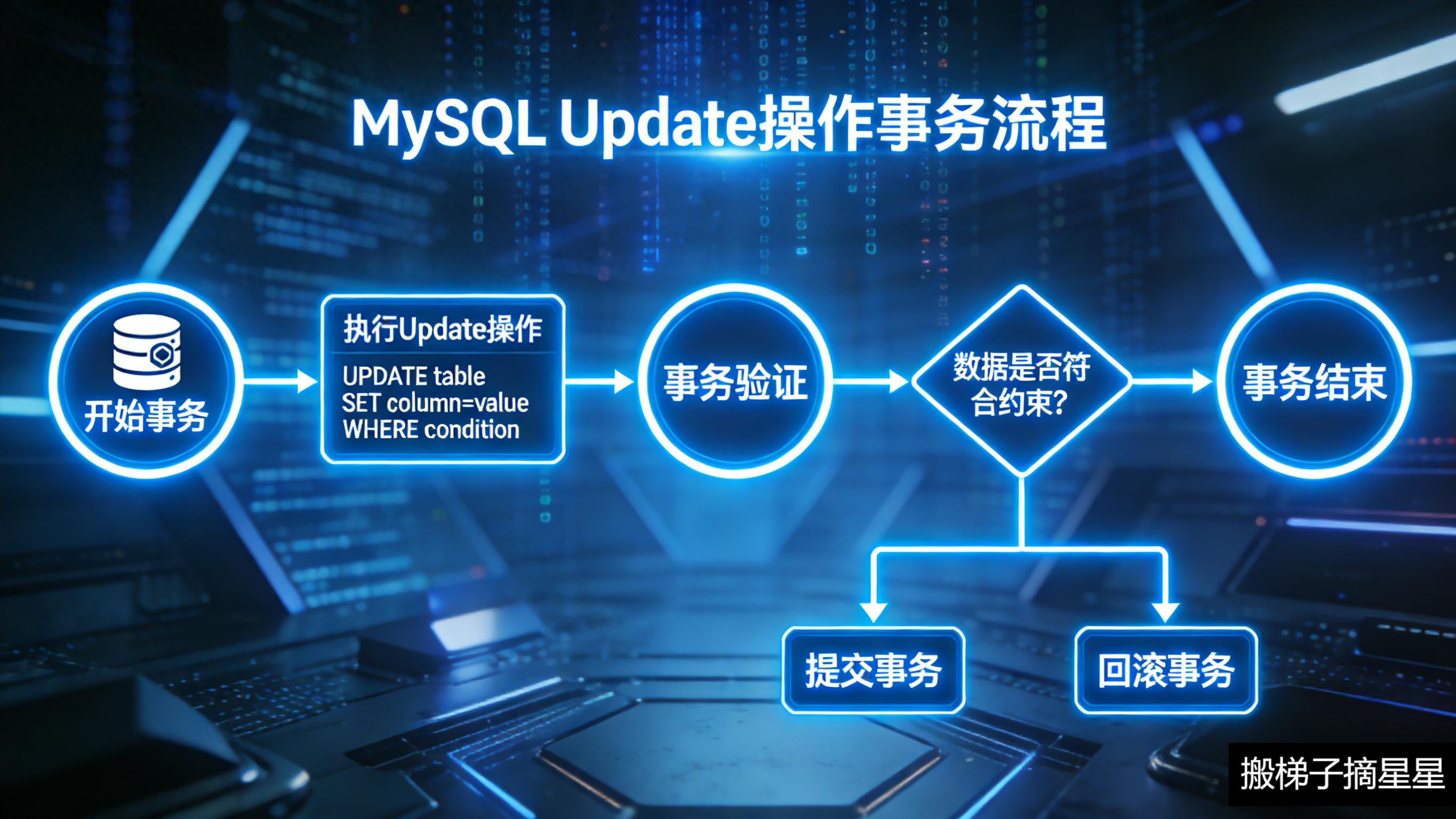
def transaction_commit(conn):
"""事务提交:全部成功才提交"""
try:
with conn.cursor() as cursor:
# 转账:alice → bob
cursor.execute(
"UPDATE users SET balance = balance - %s WHERE username = %s",
(200, "alice")
)
cursor.execute(
"UPDATE users SET balance = balance + %s WHERE username = %s",
(200, "bob")
)
conn.commit()
print("事务提交成功:alice 转 ¥200 给 bob")
# 验证结果
with conn.cursor(DictCursor) as cursor:
cursor.execute(
"SELECT username, balance FROM users WHERE username IN ('alice', 'bob')"
)
for r in cursor.fetchall():
print(f" {r['username']}: ¥{r['balance']:.2f}")
except pymysql.MySQLError as e:
conn.rollback()
print(f"事务回滚:{e}")
def transaction_rollback(conn):
"""事务回滚:中途出错则全部撤销"""
try:
with conn.cursor() as cursor:
cursor.execute(
"UPDATE users SET balance = balance - %s WHERE username = %s",
(5000, "diana") # diana 余额不足
)
# 检查余额
cursor.execute(
"SELECT balance FROM users WHERE username = %s", ("diana",)
)
balance = cursor.fetchone()['balance']
if balance 20).all()
# Update
session.query(User).filter(User.username == "alice").update({"age": 26})
session.commit()
# Delete
session.query(User).filter(User.username == "alice").delete()
session.commit()
# 原生 SQL
result = session.execute(
text("SELECT * FROM users WHERE age > :age"),
{"age": 25}
).fetchall()
# --- 避免 N+1 查询 ---
with Session(engine) as session:
# N+1:每个用户的订单单独查询一次
users = session.query(User).all()
for u in users:
print(len(u.orders)) # 每次访问触发一次查询
# 预加载:一次查询加载所有关联数据
users = session.query(User).options(joinedload(User.orders)).all()
# 或
users = session.query(User).options(selectinload(User.orders)).all()
""")
# ============================================================
# 九、SQL 注入防护
# ============================================================
print("=" * 60)
print("九、SQL 注入防护")
print("=" * 60)
print("""
SQL 注入是 Web 安全头号威胁。Python 操作 MySQL 必须始终使用参数化查询。
危险做法(永远不要这样写):
username = input("输入用户名: ")
sql = f"SELECT * FROM users WHERE username = '{username}'"
cursor.execute(sql)
# 输入: ' OR '1'='1' --
# 结果: SELECT * FROM users WHERE username = '' OR '1'='1' --'
# 后果: 返回全部用户数据!
# 更可怕的:
# 输入: '; DROP TABLE users; --
# 后果: 整张表被删除!
安全做法(参数化查询):
cursor.execute(
"SELECT * FROM users WHERE username = %s",
(username,)
)
参数占位符对照表:
┌─────────────────────┬──────────┬──────────────┐
│ 库 │ 占位符 │ 示例 │
├─────────────────────┼──────────┼──────────────┤
│ pymysql │ %s │ (%s, %s) │
│ mysql-connector │ %s │ (%s, %s) │
│ sqlite3 │ ? │ (?, ?) │
│ psycopg2 │ %s │ (%s, %s) │
│ SQLAlchemy text() │ :name │ text("...WHERE │
│ │ │ name=:name")│
└─────────────────────┴──────────┴──────────────┘
动态表名/列名场景(无法参数化时,必须白名单校验):
ALLOWED_COLUMNS = {"id", "username", "email", "age", "balance"}
ALLOWED_ORDERS = {"ASC", "DESC"}
def safe_order_query(conn, sort_by, order):
if sort_by not in ALLOWED_COLUMNS:
raise ValueError(f"非法列名: {sort_by}")
if order.upper() not in ALLOWED_ORDERS:
raise ValueError(f"非法排序: {order}")
# 此时可以安全拼接
sql = f"SELECT * FROM users ORDER BY {sort_by} {order}"
cursor.execute(sql)
""")
# ============================================================
# 十、常见错误与调试
# ============================================================
print("=" * 60)
print("十、常见错误与调试")
print("=" * 60)
print("""
常见 MySQL 错误速查:
1. 连接错误
pymysql.err.OperationalError: (2003, "Can't connect to MySQL server")
→ MySQL 服务未启动,或 host/port 错误
pymysql.err.OperationalError: (1045, "Access denied")
→ 用户名或密码错误
pymysql.err.OperationalError: (1049, "Unknown database")
→ 数据库不存在,先 CREATE DATABASE
2. SQL 语法错误
pymysql.err.ProgrammingError: (1064, "You have an error in your SQL syntax")
→ SQL 语句有语法错误,检查引号、括号、关键字
3. 字段/表不存在
pymysql.err.ProgrammingError: (1146, "Table doesn't exist")
→ 表不存在或表名拼写错误
pymysql.err.OperationalError: (1054, "Unknown column")
→ 列名拼写错误
4. 约束冲突
pymysql.err.IntegrityError: (1062, "Duplicate entry")
→ 主键或唯一索引冲突,检查 INSERT 数据
pymysql.err.IntegrityError: (1452, "Cannot add or update a child row")
→ 外键约束,引用的父表记录不存在
5. 连接断开
pymysql.err.OperationalError: (2006, "MySQL server has gone away")
→ 连接超时断开(默认 8 小时),需重连或使用 pool_recycle
pymysql.err.InterfaceError: (0, '')
→ 连接已关闭后仍尝试使用
调试技巧:
# 1. 开启 SQL 日志
import logging
logging.basicConfig(level=logging.DEBUG)
# 2. 打印实际执行的 SQL
cursor = conn.cursor()
sql = "SELECT * FROM users WHERE id = %s"
print(cursor.mogrify(sql, (1,))) # pymysql 特有方法
# 3. 检查连接是否存活
conn.ping(reconnect=True)
# 4. 获取详细错误信息
try:
cursor.execute(sql, params)
except pymysql.MySQLError as e:
print(f"错误码: {e.args[0]}")
print(f"错误信息: {e.args[1]}")
""")
# ============================================================
# 十一、异步 MySQL 操作(aiomysql)
# ============================================================
print("=" * 60)
print("十一、异步 MySQL 操作(aiomysql)")
print("=" * 60)
try:
import aiomysql
AIOMYSQL_AVAILABLE = True
print("aiomysql 已安装 ")
except ImportError:
AIOMYSQL_AVAILABLE = False
print("aiomysql 未安装,请运行:pip install aiomysql")
print("""
import asyncio
import aiomysql
async def async_mysql_example():
# 创建连接池
pool = await aiomysql.create_pool(
host="localhost",
port=3306,
user="root",
password="your_password",
db="test_db",
charset="utf8mb4",
minsize=2,
maxsize=10,
autocommit=False,
cursorclass=aiomysql.DictCursor
)
async with pool.acquire() as conn:
async with conn.cursor() as cursor:
# 查询
await cursor.execute(
"SELECT * FROM users WHERE age > %s", (25,)
)
rows = await cursor.fetchall()
for row in rows:
print(row)
# 插入
await cursor.execute(
"INSERT INTO users (username, email, age) "
"VALUES (%s, %s, %s)",
("async_user", "async@test.com", 20)
)
await conn.commit()
pool.close()
await pool.wait_closed()
# asyncio.run(async_mysql_example())
SQLAlchemy 2.0+ 异步方式:
from sqlalchemy.ext.asyncio import create_async_engine, AsyncSession
from sqlalchemy import select
engine = create_async_engine(
"mysql+aiomysql://user:pass@localhost:3306/test_db"
)
async with AsyncSession(engine) as session:
result = await session.execute(
select(User).where(User.age > 25)
)
users = result.scalars().all()
""")
# ============================================================
# 十二、完整封装示例
# ============================================================
print("=" * 60)
print("十二、完整封装示例(MySQLHelper)")
print("=" * 60)
print("""
import pymysql
from pymysql.cursors import DictCursor
from contextlib import contextmanager
from typing import Optional, Any
import logging
logger = logging.getLogger(__name__)
class MySQLHelper:
"""MySQL 操作封装,支持连接池和上下文管理器"""
def __init__(self, host, port, user, password, database, charset='utf8mb4',
pool_size=5, **kwargs):
self.config = {
'host': host, 'port': port, 'user': user,
'password': password, 'database': database,
'charset': charset, 'cursorclass': DictCursor,
'autocommit': False, **kwargs
}
self.pool = None
self._init_pool(pool_size)
def _init_pool(self, pool_size):
from dbutils.pooled_db import PooledDB
self.pool = PooledDB(
creator=pymysql,
maxconnections=pool_size + 5,
mincached=2,
maxcached=pool_size,
blocking=True,
ping=1,
**self.config
)
@contextmanager
def get_conn(self):
"""获取连接上下文管理器"""
conn = self.pool.connection()
try:
yield conn
conn.commit()
except Exception:
conn.rollback()
raise
finally:
conn.close() # 归还到池
def execute(self, sql, params=None):
"""执行写操作,返回影响行数"""
with self.get_conn() as conn:
with conn.cursor() as cursor:
affected = cursor.execute(sql, params or ())
return affected
def executemany(self, sql, params_list):
"""批量执行"""
with self.get_conn() as conn:
with conn.cursor() as cursor:
return cursor.executemany(sql, params_list)
def fetchone(self, sql, params=None):
"""查询单条"""
with self.get_conn() as conn:
with conn.cursor() as cursor:
cursor.execute(sql, params or ())
return cursor.fetchone()
def fetchall(self, sql, params=None):
"""查询多条"""
with self.get_conn() as conn:
with conn.cursor() as cursor:
cursor.execute(sql, params or ())
return cursor.fetchall()
def insert(self, table, data: dict):
"""便捷插入"""
columns = ', '.join(data.keys())
placeholders = ', '.join(['%s'] * len(data))
sql = f"INSERT INTO {table} ({columns}) VALUES ({placeholders})"
with self.get_conn() as conn:
with conn.cursor() as cursor:
cursor.execute(sql, tuple(data.values()))
return cursor.lastrowid
def update(self, table, data: dict, where: str, where_params=None):
"""便捷更新"""
set_clause = ', '.join(f"{k}=%s" for k in data)
sql = f"UPDATE {table} SET {set_clause} WHERE {where}"
params = tuple(data.values()) + (where_params or ())
return self.execute(sql, params)
def close(self):
"""关闭连接池"""
if self.pool:
self.pool.close()
# 使用示例
db = MySQLHelper(
host="localhost", port=3306,
user="root", password="your_password",
database="test_db"
)
# 插入
user_id = db.insert("users", {
"username": "new_user",
"email": "new@test.com",
"age": 25
})
# 查询
user = db.fetchone("SELECT * FROM users WHERE id = %s", (user_id,))
print(user)
# 更新
db.update("users",
{"age": 26, "email": "updated@test.com"},
"id = %s", (user_id,)
)
# 批量插入
db.executemany(
"INSERT INTO users (username, email, age) VALUES (%s, %s, %s)",
[("u1", "u1@t.com", 20), ("u2", "u2@t.com", 21)]
)
db.close()
""")
# ============================================================
# 十三、可运行的示例(需配置正确的连接信息)
# ============================================================
print("=" * 60)
print("十三、运行完整示例")
print("=" * 60)
def run_demo():
"""完整演示流程(需要正确配置 MySQL 连接信息)"""
if not PYMYSQL_AVAILABLE:
print("请先安装 PyMySQL:pip install pymysql")
return
# ️ 请修改为你的实际连接信息
config = {
"host": "localhost",
"port": 3306,
"user": "root",
"password": "your_password",
"charset": "utf8mb4",
"autocommit": False,
"cursorclass": DictCursor,
}
conn = get_connection(config)
if not conn:
print("n无法连接 MySQL,请检查:")
print(" 1. MySQL 服务是否启动")
print(" 2. 用户名密码是否正确")
print(" 3. 修改上方 config 中的连接信息")
return
try:
# 建库
with conn.cursor() as cursor:
cursor.execute(
"CREATE DATABASE IF NOT EXISTS test_db "
"DEFAULT CHARACTER SET utf8mb4"
)
cursor.execute("USE test_db")
conn.commit()
# DDL
execute_ddl(conn)
show_tables(conn)
describe_table(conn, "users")
# INSERT
insert_single(conn)
insert_many(conn)
insert_on_duplicate(conn)
conn.commit()
insert_orders(conn)
conn.commit()
# SELECT
select_all(conn)
select_one(conn, 1)
select_with_conditions(conn)
select_with_like(conn)
select_pagination(conn, page=1, page_size=2)
select_aggregation(conn)
select_group_by(conn)
select_join(conn)
select_subquery(conn)
# UPDATE / DELETE
update_data(conn)
conn.commit()
delete_data(conn)
conn.commit()
# 事务
transaction_commit(conn)
transaction_rollback(conn)
transaction_with_context(conn)
print("n 所有示例运行完毕!")
except pymysql.MySQLError as e:
print(f"数据库错误:{e}")
conn.rollback()
finally:
conn.close()
print("连接已关闭")
# ============================================================
# 十四、总结
# ============================================================
print("n" + "=" * 60)
print("十四、总结")
print("=" * 60)
print("""
Python MySQL 操作速查:
┌──────────────────────┬────────────────────────────────────────────┐
│ 操作 │ 核心方法 │
├──────────────────────┼────────────────────────────────────────────┤
│ 连接 │ pymysql.connect(**config) │
│ 游标 │ conn.cursor(cursorclass=DictCursor) │
│ 查询单条 │ cursor.execute(sql, params) → fetchone() │
│ 查询多条 │ cursor.execute(sql, params) → fetchall() │
│ 插入 │ cursor.execute(INSERT, params) → lastrowid │
│ 批量插入 │ cursor.executemany(INSERT, [params, ...]) │
│ 更新 │ cursor.execute(UPDATE, params) → rowcount │
│ 删除 │ cursor.execute(DELETE, params) → rowcount │
│ 提交 │ conn.commit() │
│ 回滚 │ conn.rollback() │
│ 关闭 │ conn.close() │
├──────────────────────┼────────────────────────────────────────────┤
│ 连接池 │ DBUtils PooledDB / SQLAlchemy 内置池 │
│ ORM │ SQLAlchemy(推荐) / Django ORM / peewee │
│ 异步 │ aiomysql / SQLAlchemy 2.0+ async │
│ 迁移 │ Alembic │
├──────────────────────┼────────────────────────────────────────────┤
│ 占位符 │ pymysql → %s SQLAlchemy → :name │
│ 参数化查询 │ 始终使用参数化,永不拼接 SQL │
│ 事务 │ 手动 commit / rollback,或用 with 封装 │
└──────────────────────┴────────────────────────────────────────────┘
最佳实践:
1. 永远使用参数化查询,防范 SQL 注入
2. 使用连接池,避免频繁创建/销毁连接
3. 返回字典格式(DictCursor),代码更可读
4. 手动控制事务(autocommit=False),批量操作后显式 commit
5. 生产环境密码放环境变量,不硬编码
6. 设置 pool_recycle 防止 MySQL 8 小时超时断开
7. 慢查询加 EXPLAIN 分析,合理添加索引
8. 大批量写入用 executemany,不用循环单条 insert
""")
# 取消注释以运行演示(需先配置正确的连接信息)
# run_demo()
公告:
1. 本站所有资源来源于用户上传和网络,如有侵权请联系站长!
2. 分享目的仅供大家学习和交流,您必须在下载后24小时内删除!
3. 不得使用于非法商业用途,不得违反国家法律。否则后果自负!
4. 本站提供的源码、模板、插件等等其他资源,都不包含技术服务请大家谅解!
5. 如有链接无法下载、失效或广告,请联系站长处理!
6. 本站不售卖代码,资源标价只是站长收集整理的辛苦费!如果您喜欢该程序,请支持正版软件,购买注册,得到更好的正版服务。
7. 站长QQ号码 2205675299
资源库 - 资源分享下载网 » mysql executeupdate Python MySQL 数据库操作
1. 本站所有资源来源于用户上传和网络,如有侵权请联系站长!
2. 分享目的仅供大家学习和交流,您必须在下载后24小时内删除!
3. 不得使用于非法商业用途,不得违反国家法律。否则后果自负!
4. 本站提供的源码、模板、插件等等其他资源,都不包含技术服务请大家谅解!
5. 如有链接无法下载、失效或广告,请联系站长处理!
6. 本站不售卖代码,资源标价只是站长收集整理的辛苦费!如果您喜欢该程序,请支持正版软件,购买注册,得到更好的正版服务。
7. 站长QQ号码 2205675299
资源库 - 资源分享下载网 » mysql executeupdate Python MySQL 数据库操作

常见问题FAQ
- 关于资源售价和售后服务的说明?
- 代码有没有售后服务和技术支持?
- 有没有搭建服务?
- 链接地址失效了怎么办?
- 关于解压密码