 双旋网络
使用Sphinx生成项目文档

使用Sphinx生成项目文档
是一个基于的文档生成工具,它可以将标记文本转换为各种格式的文档,包括HTML、PDF、EPUB等。最初是为文档而开发的,但是它也可以用于其他类型的文档,例如API文档、技术文档、用户手册等。
的主要特点包括:
的使用方法比较简单,通常包括以下步骤:
安装
可以使用pip命令安装:
pip install sphinx
初始化项目
使用-命令初始化项目,该命令会生成一个包含配置文件和目录结构的项目(建议在项目中新建一个docs目录,在docs目录下执行该命令):
mkdir docs && cd docs
sphinx-quickstart
按照提示输入相关信息
Welcome to the Sphinx 7.0.1 quickstart utility.
Please enter values for the following settings (just press Enter to
accept a default value, if one is given in brackets).
Selected root path: .
You have two options for placing the build directory for Sphinx output.
Either, you use a directory "_build" within the root path, or you separate
"source" and "build" directories within the root path.
> Separate source and build directories (y/n) [n]: y  # 是否分离文档源码和生成的HTML
The project name will occur in several places in the built documentation.
> Project name: python-yapi    # 项目名称
> Author name(s): Han Zhichao  # 作者名称
> Project release []: 0.1.0   # 项目版本
If the documents are to be written in a language other than English,
you can select a language here by its language code. Sphinx will then
translate text that it generates into that language.
For a list of supported codes, see
https://www.sphinx-doc.org/en/master/usage/configuration.html#confval-language.
> Project language [en]: en   #  语言
Creating file /Users/superhin/Projects/python-yapi/docs/source/conf.py.
Creating file /Users/superhin/Projects/python-yapi/docs/source/index.rst.
Creating file /Users/superhin/Projects/python-yapi/docs/Makefile.
Creating file /Users/superhin/Projects/python-yapi/docs/make.bat.
Finished: An initial directory structure has been created.
You should now populate your master file /Users/superhin/Projects/试验/argparse_demo/source/index.rst and create other documentation
source files. Use the Makefile to build the docs, like so:
   make builder
where "builder" is one of the supported builders, e.g. html, latex or linkcheck.
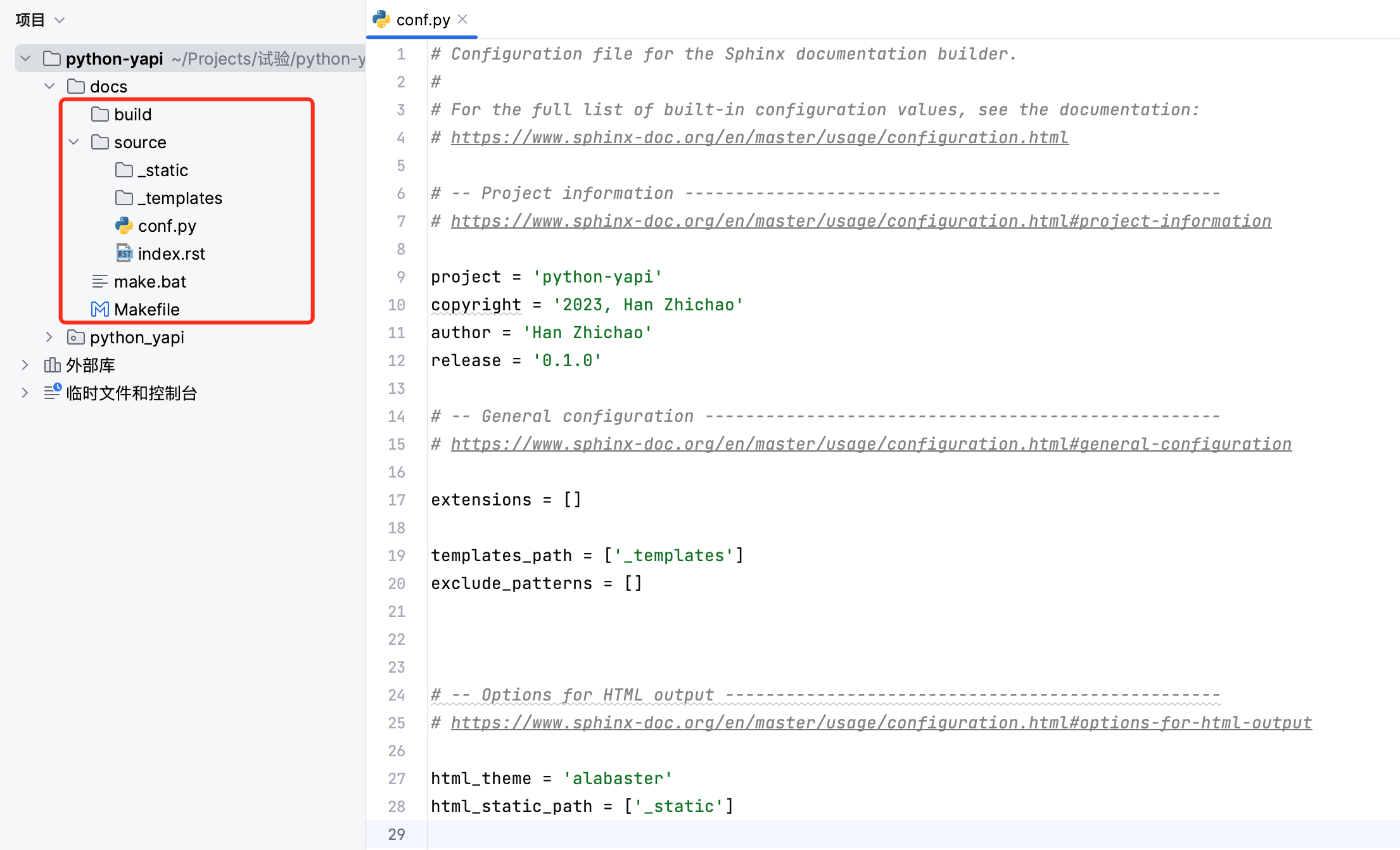
运行后在docs目录下生成(文档源码)和build(用于生成HTML文档)目录和相关文件(用于支持make html命令)。
中包含了的配置文件conf.py以及文档首页index.rst。
效果如下图:
编写文档
在目录下编写文档,可以使用或等标记语言。
格式参考:
生成文档
使用make命令生成文档,例如:
make html
该命令会生成HTML格式的文档,保存在build/html目录下。
还提供了丰富的配置选项和插件,可以根据需要进行定制。你可以参考官方文档,了解更多详细信息和用法示例。
生成模块文档
使用-命令可以根据模块注释自动生成模块文档。
修改配置conf.py,在模块查找路径中添加当前项目根路径。
在conf.py文件头部添加
import os
import sys
sys.path.insert(0, os.path.abspath('../..'))  # 将项目根目录添加到模块查找路径中去
在 conf.py扩展配置中添加 ‘.ext.’,和 ‘.ext.’,
extensions = [
    'sphinx.ext.autodoc',
    'sphinx.ext.viewcode',
]
在命令行进入docs/目录,使用-命令生成模块文档到目录
cd docs
sphinx-apidoc -o source ../python_yapi
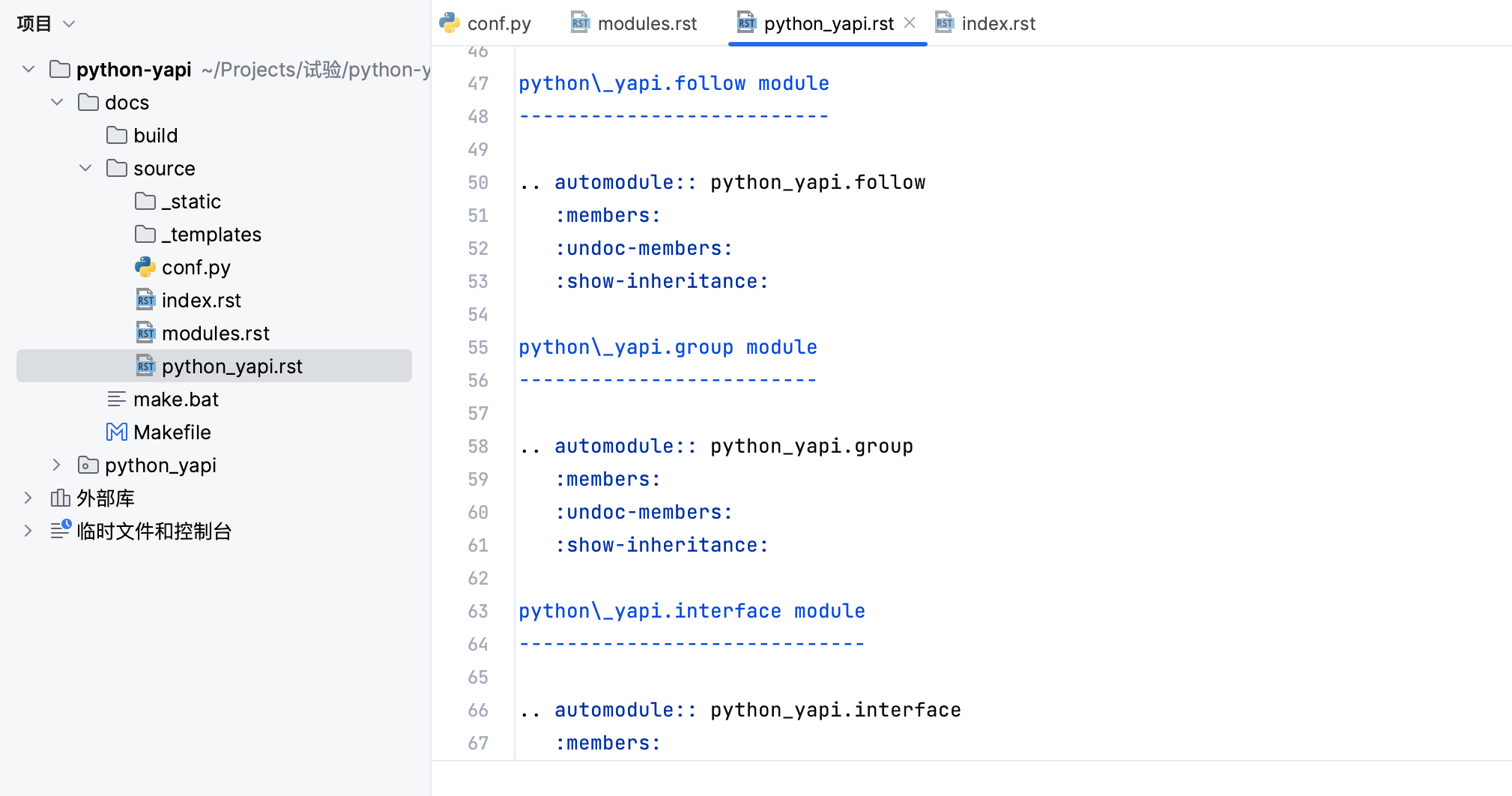
执行后在目录下生成.rst和.rst, 如下图:
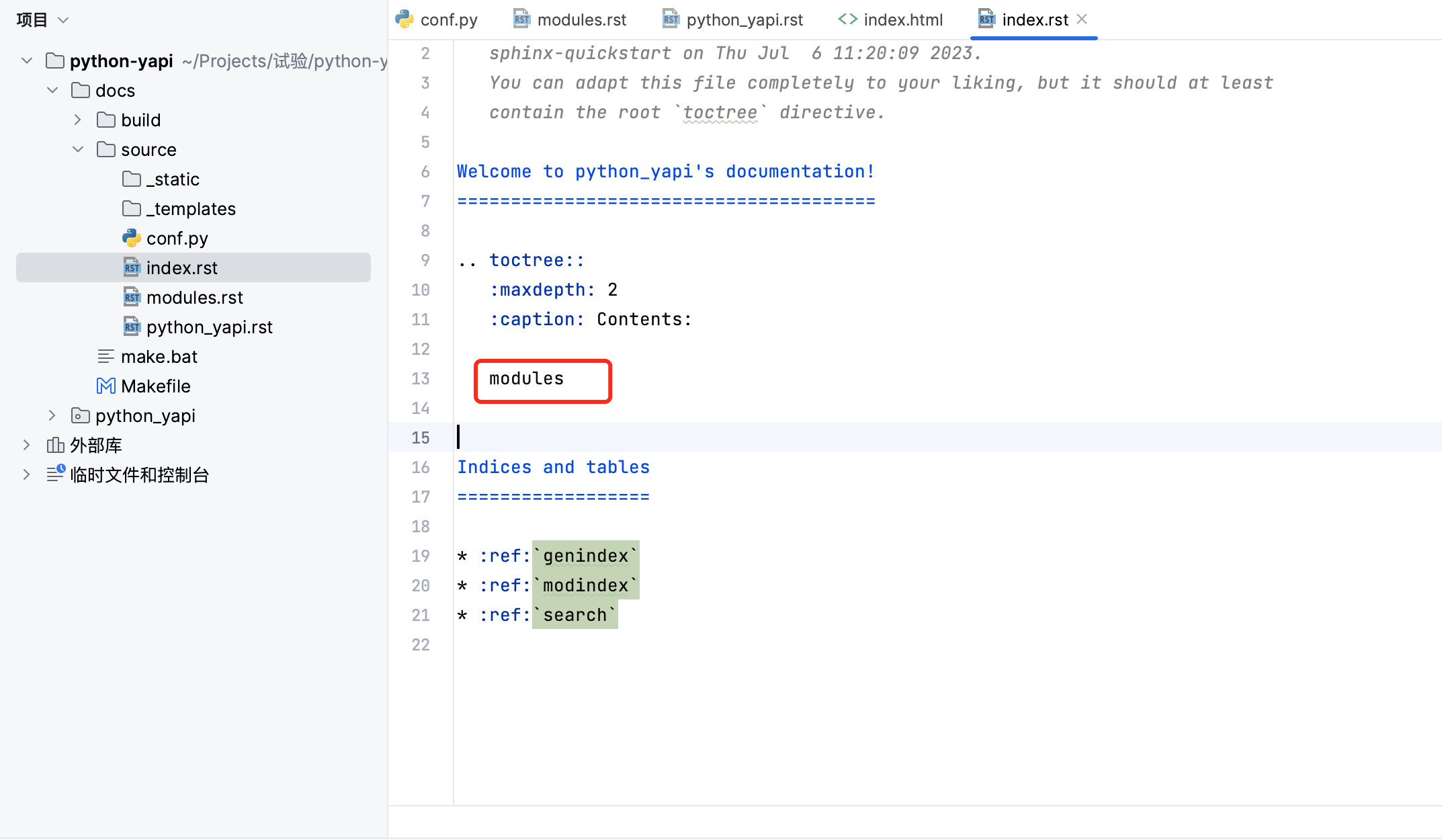
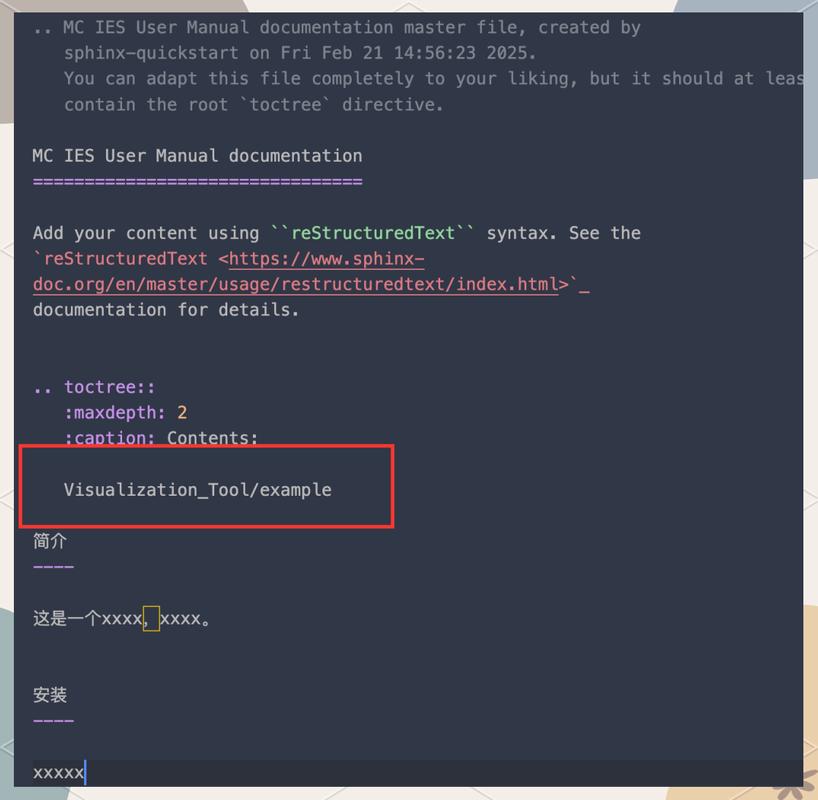
在index.rst内容列表中添加
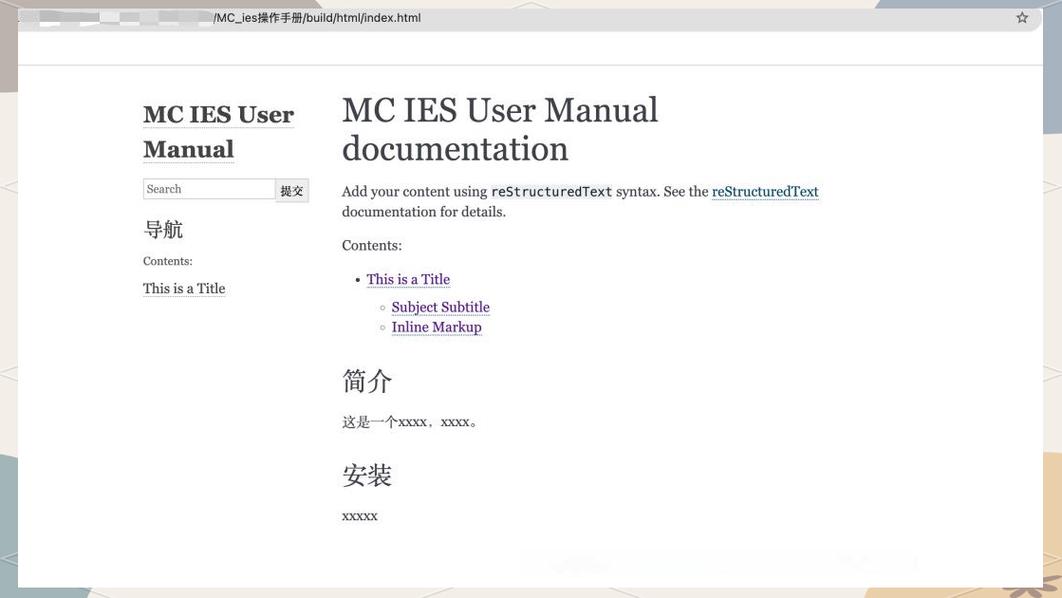
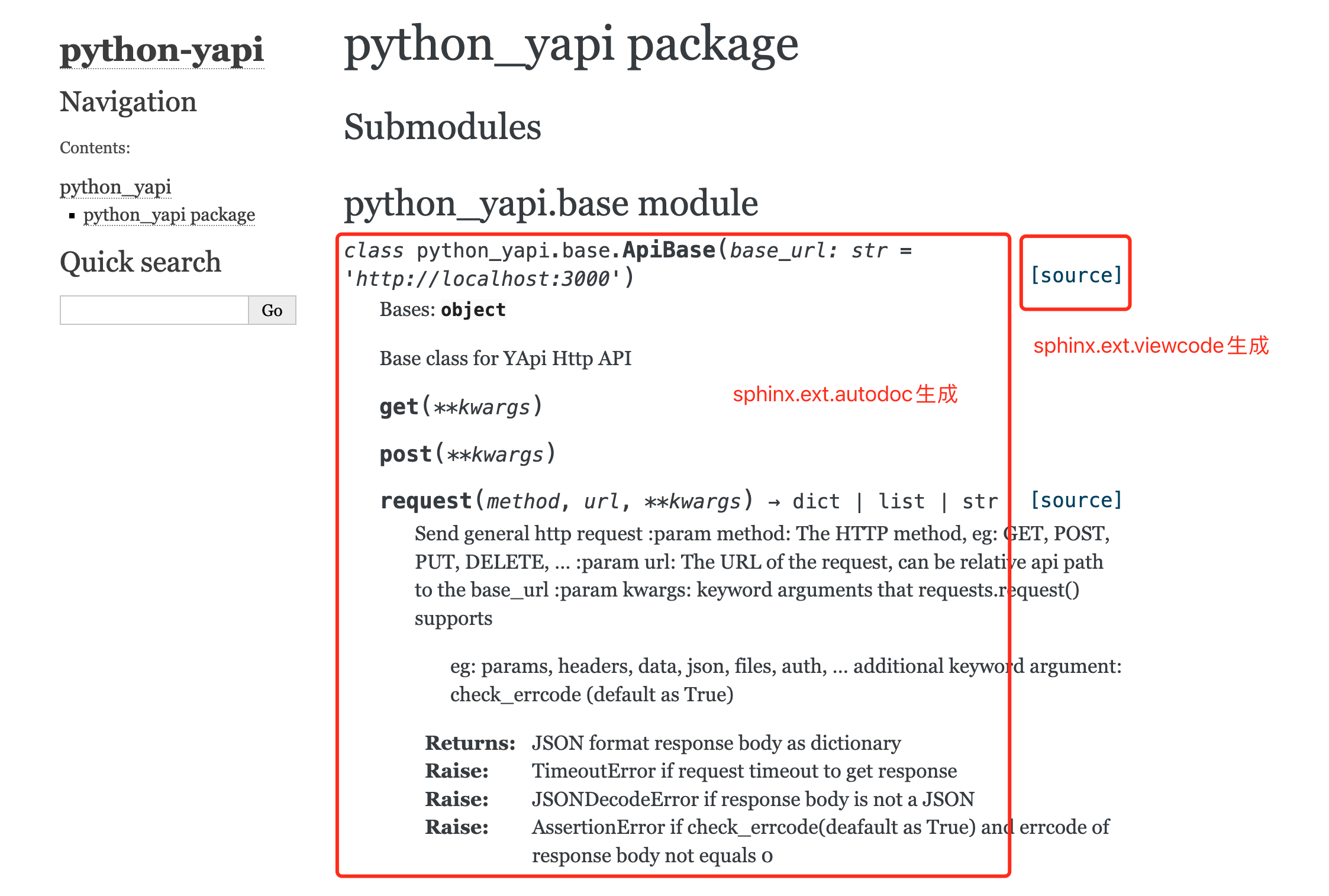
在docs目录,命令行使用make html生成文档,使用浏览器打开build/html目录的index.html
使用 主题
原生主题白且单调,可以安装使用
安装主题
pip install sphinx-rtd-theme
使用主题
修改配置conf.py,导入sphinx mysql python,并修改及配置
import sphinx_rtd_theme
html_theme = "sphinx_rtd_theme"
html_theme_path = [sphinx_rtd_theme.get_html_theme_path()]
重新make html生成文档
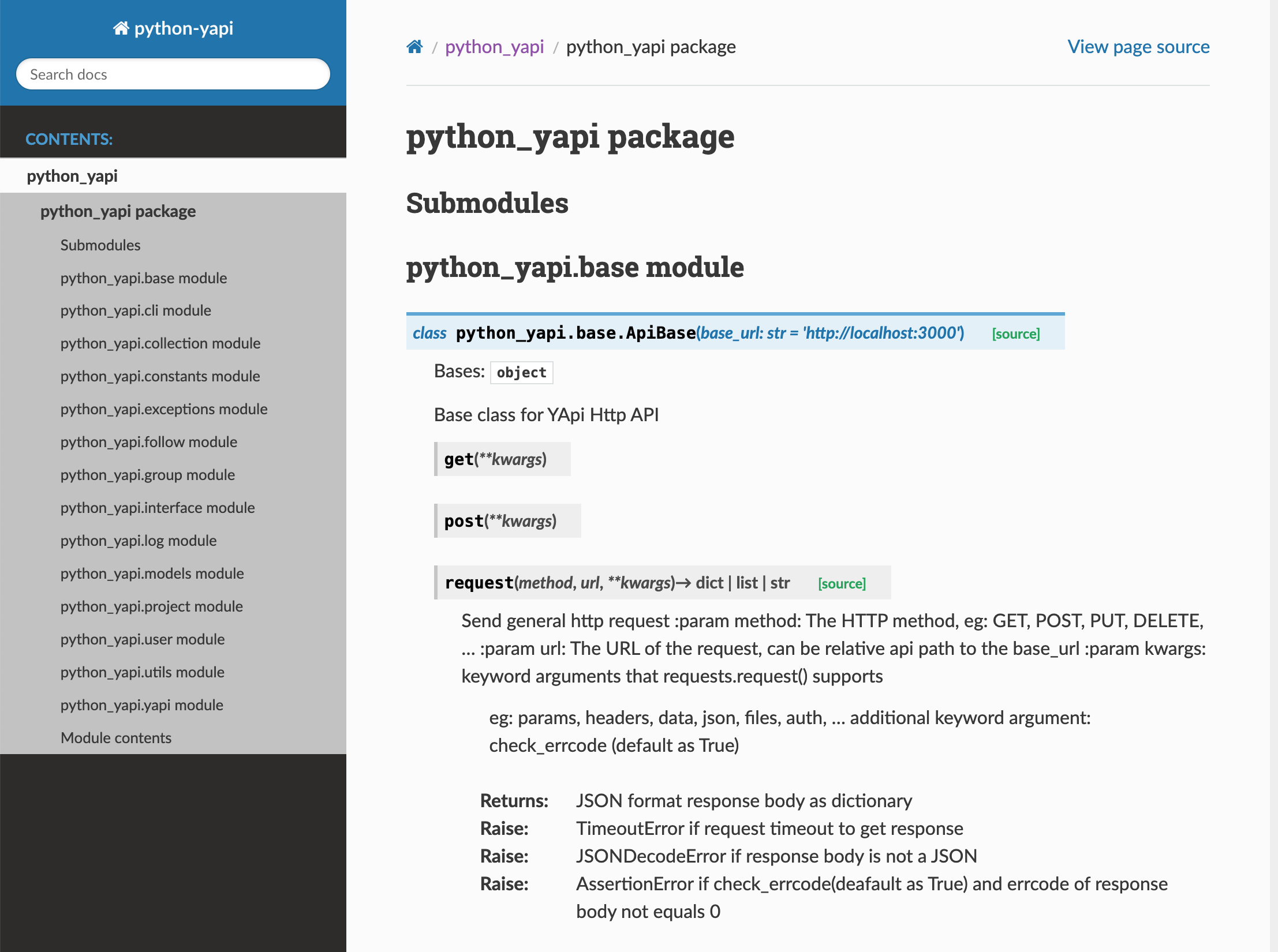
浏览器打开build/html/index.html,效果如下:
文档托管-发布文档到在项目根目录下新建文件..yamlsphinx mysql python,指定配置文件路径,并上传代码到仓库。
version: 2
build:
  os: ubuntu-22.04
  tools:
    python: "3.9"
sphinx:
   configuration: docs/source/conf.py  # sphinx配置文件路径
打开 ,使用登录(或注册登录)
导入当前项目(或手动导入项目)
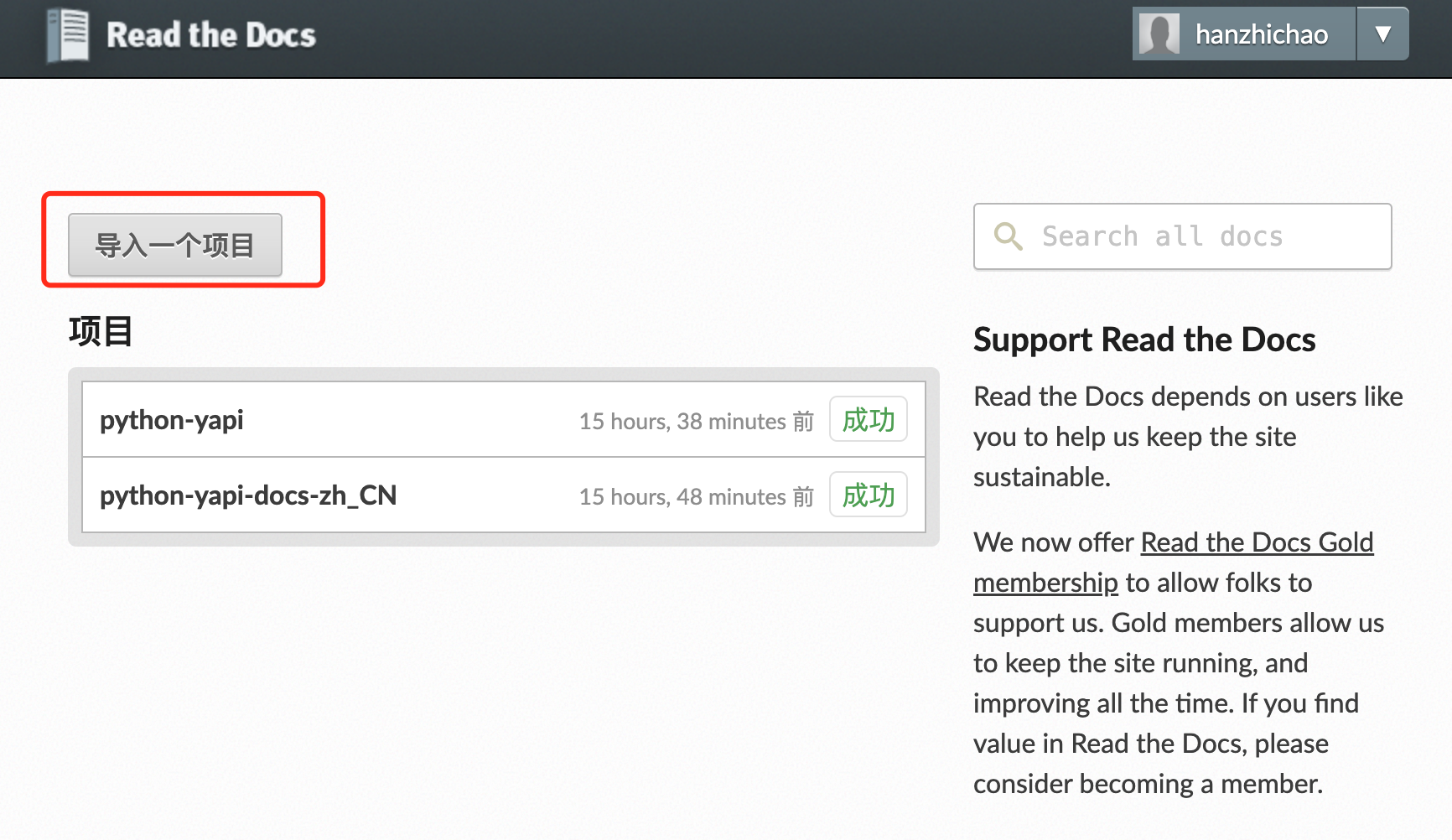
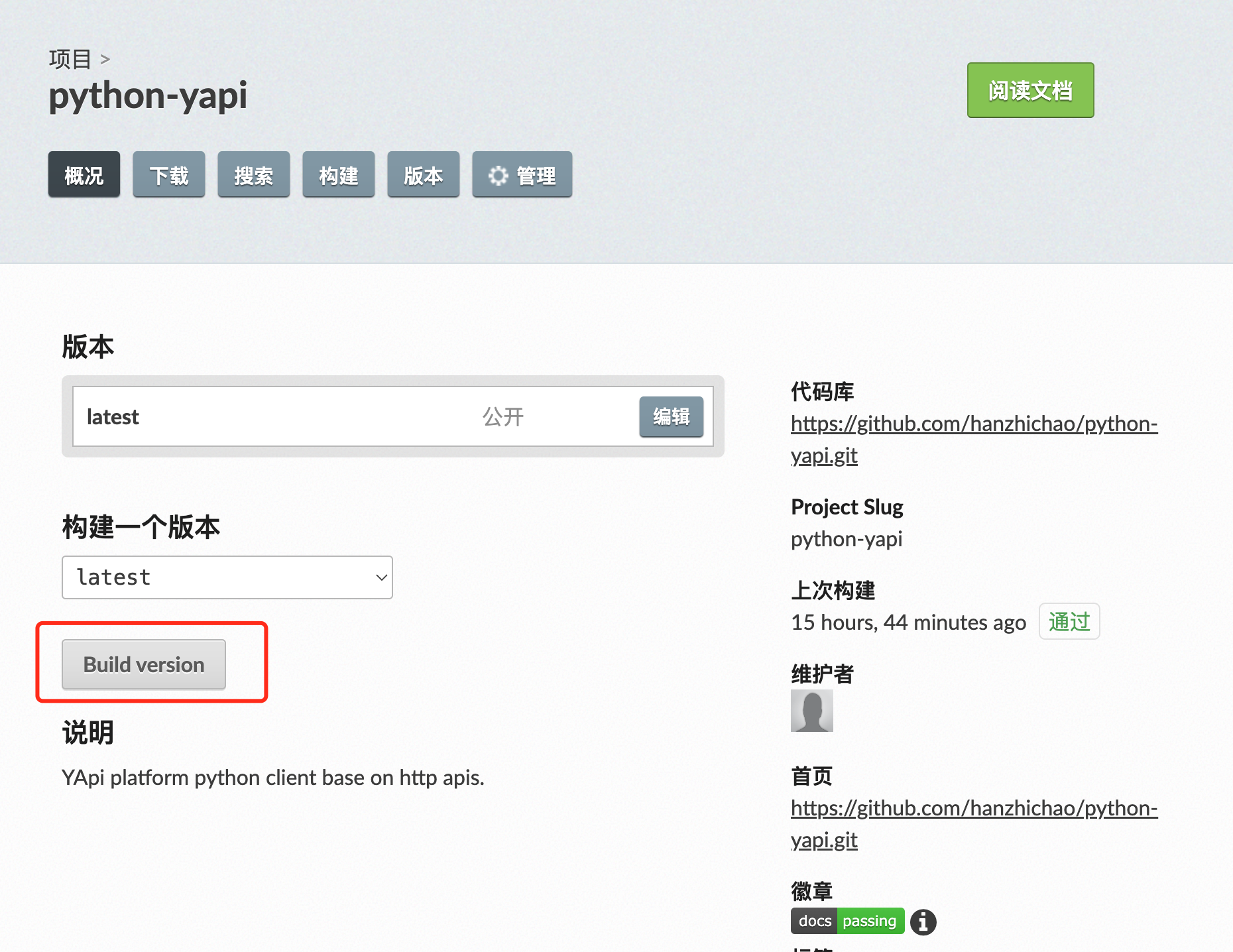
点击Build 按钮sphinx mysql python使用Sphinx生成项目文档,成功后点击阅读文档即可查看发布后的文档。
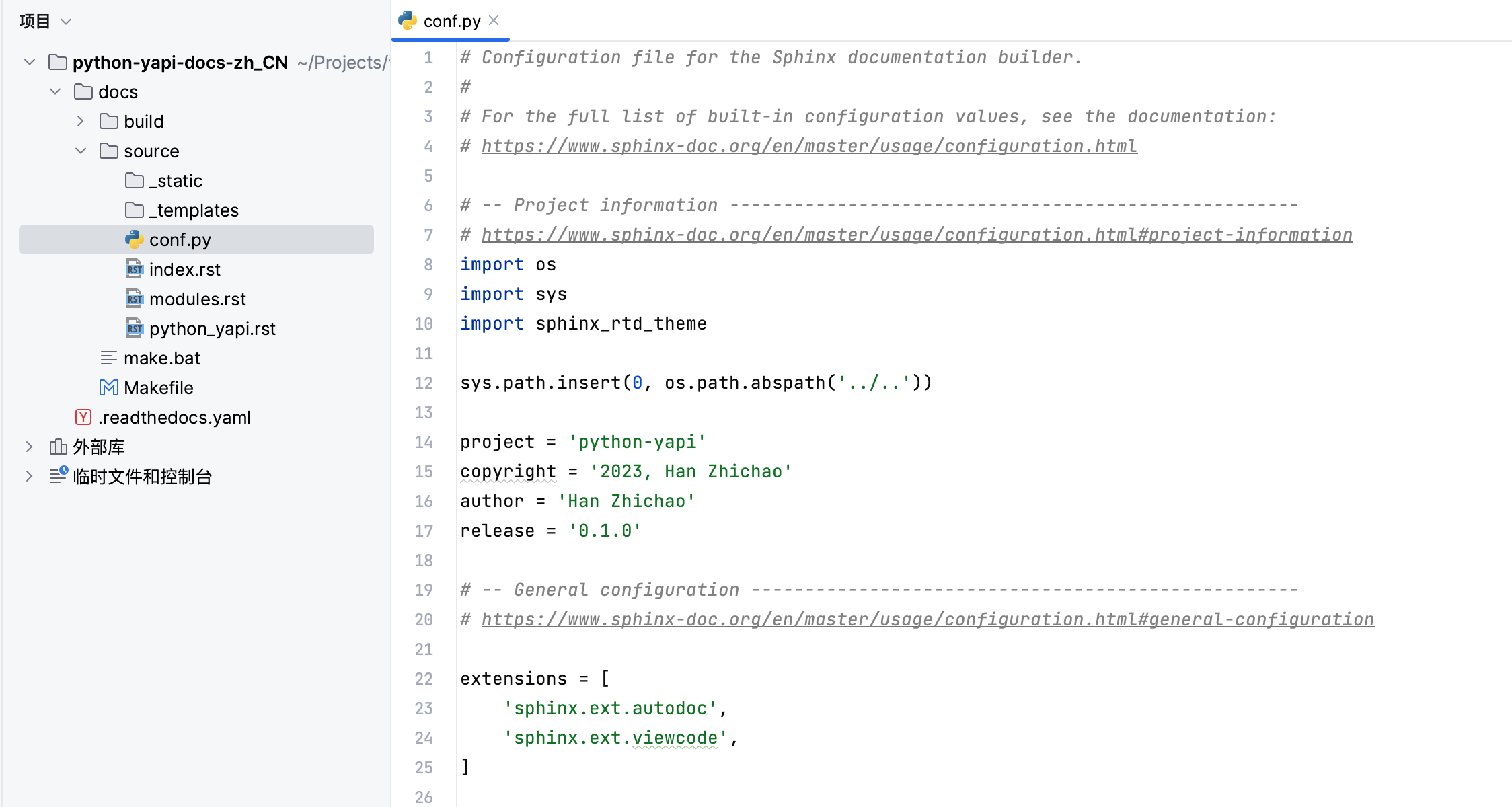
多语言文档(文档翻译)在上想要生成支持多语言文档,需要另外新建一个项目,如
-yapi-docs-zh_CN,拷贝上一个项目docs及..yaml到当前项目
安装、-rtd-theme和多语言翻译工具
pip install sphinx sphinx-rtd-theme sphinx_intl
在配置conf.py中添加语言及国际化目录配置
language = 'zh_CN'
locale_dirs = ['locale/']
提取文本及生成待翻译(中文)文本
cd docs/source
sphinx-build -b gettext . locale
sphinx-intl update -p locale -l zh_CN
cd ..
手动翻译docs///zh_CN/中所有的.po文件使用Sphinx生成项目文档,其中msgid是原始英文,是要翻译的对应的中文,如下图:
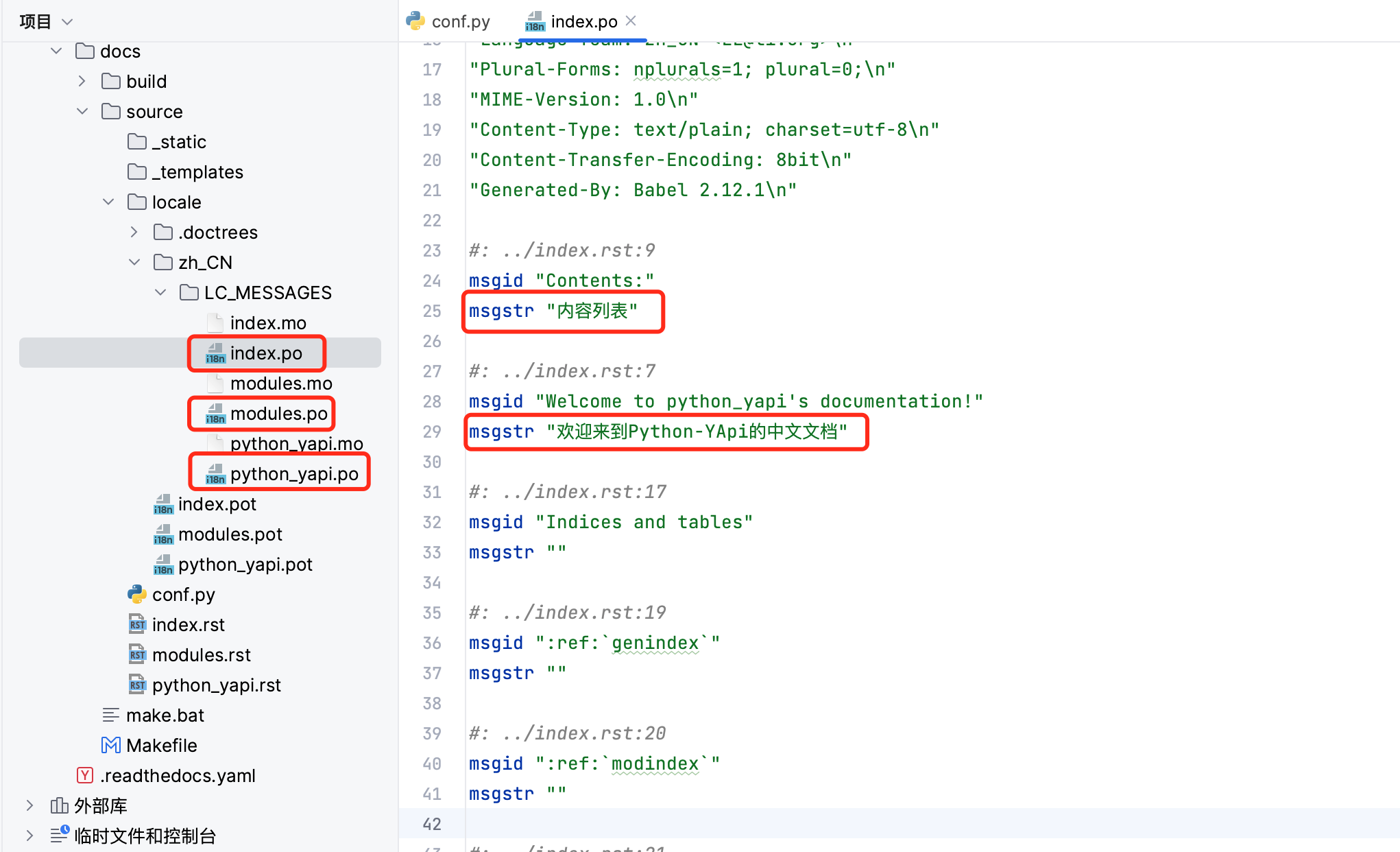
注意:不翻译目录下的.po文件。
在docs目录下使用make html并查看build/html/index.html
效果如下:
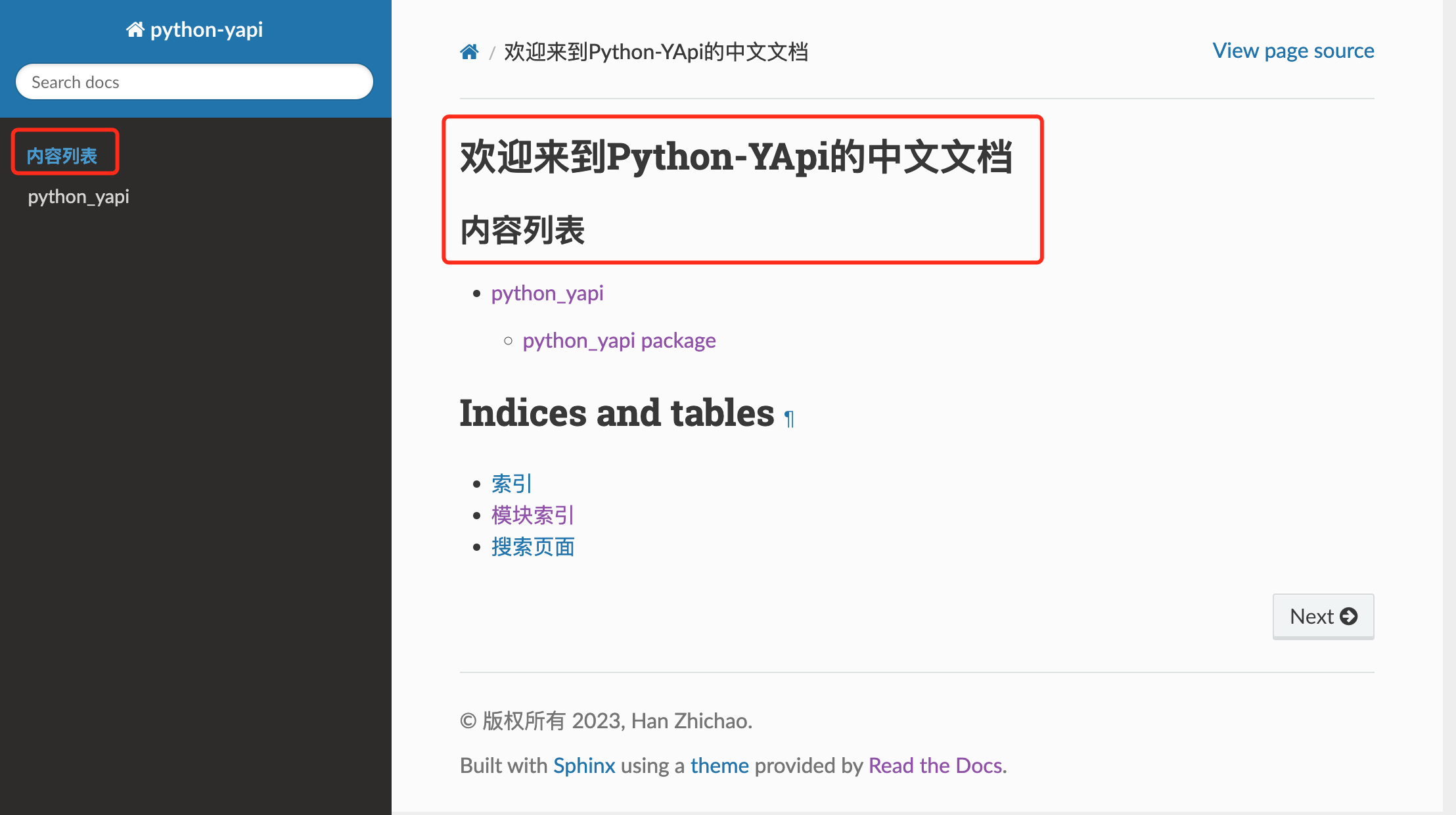
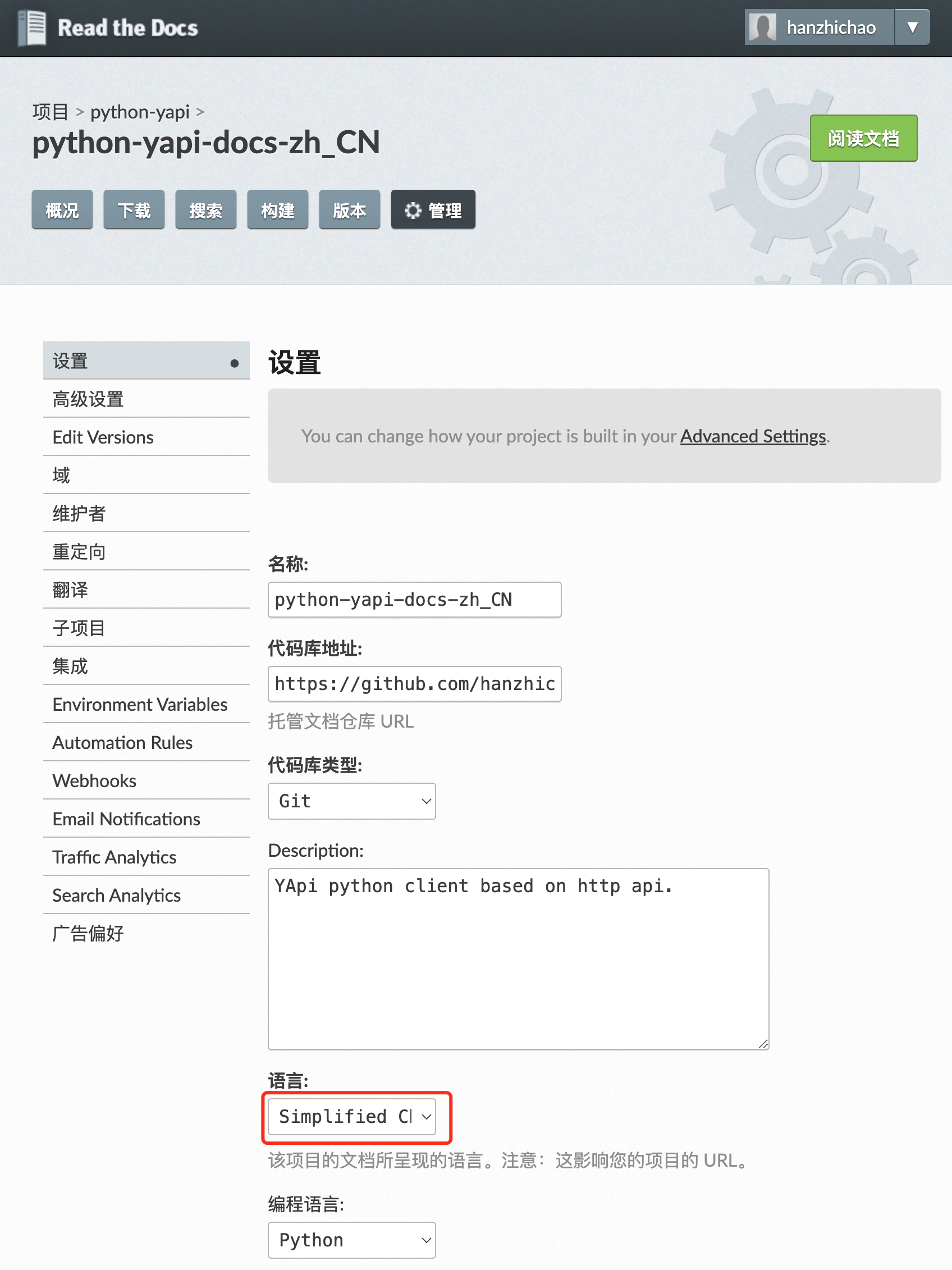
上传到并在中导入项目,并设置其语言为 ,如下图:
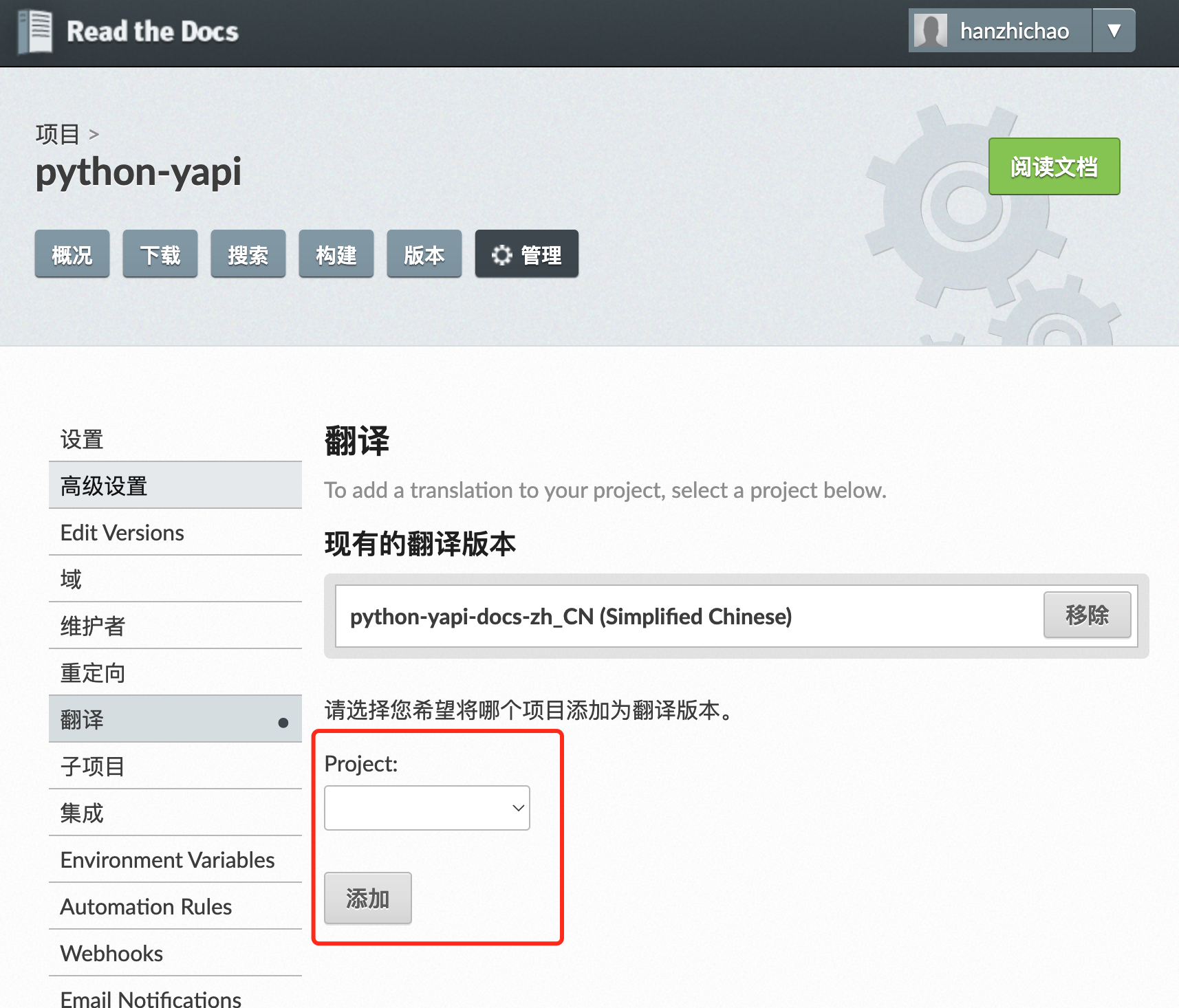
在主项目中添加翻译和子项目
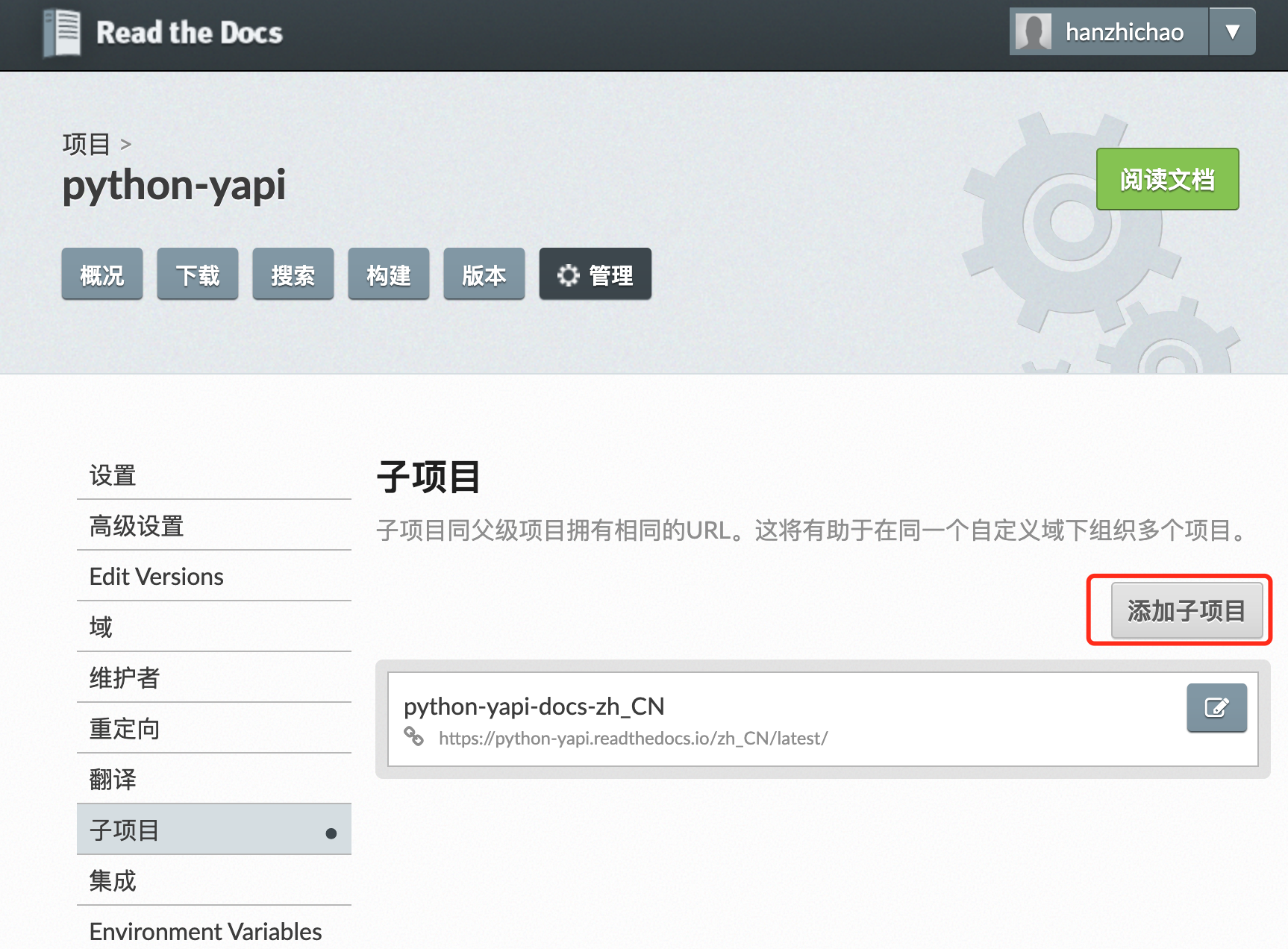
查看文档,将url中的en修改为zh_CN后即可查看中文文档,如下图:
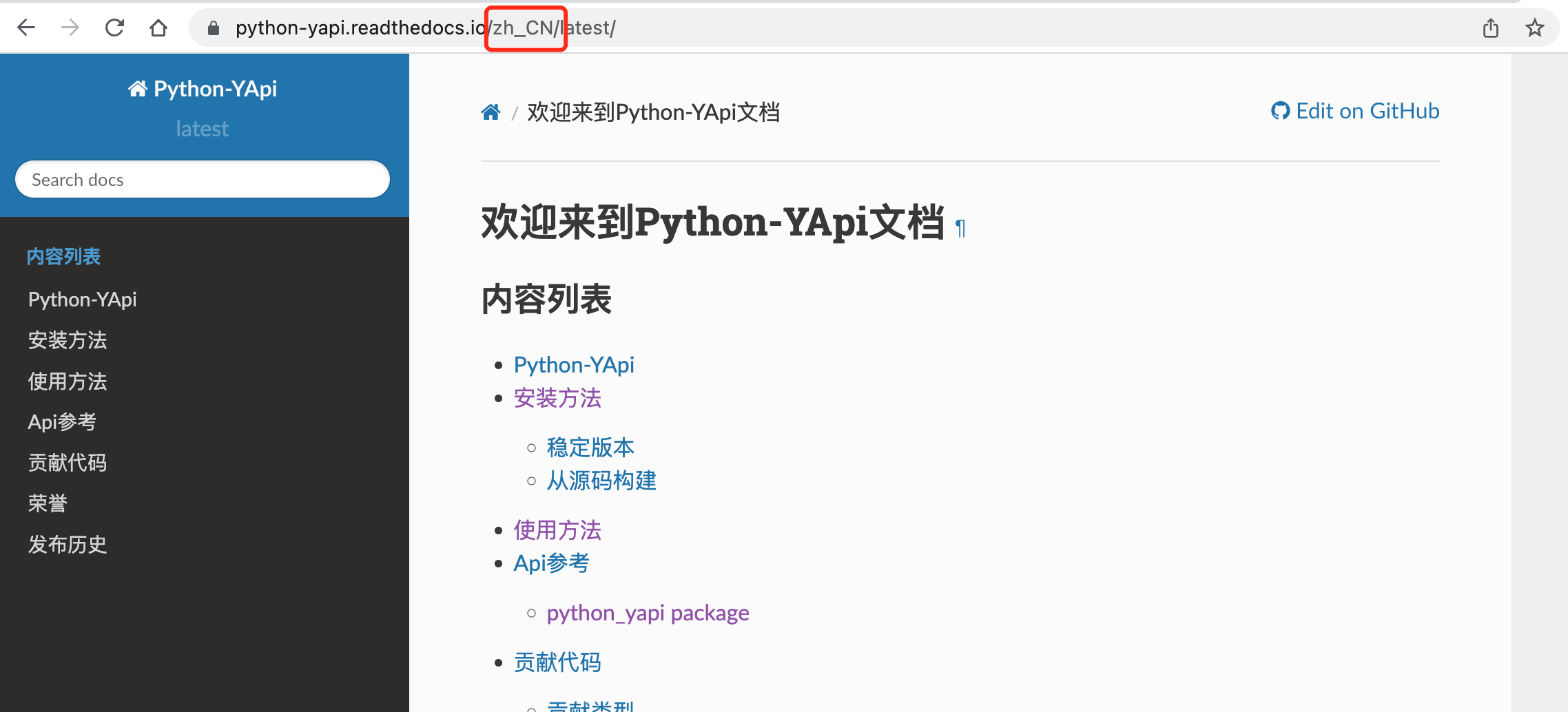
参考:(RTD)托管持多语言文档
1. 本站所有资源来源于用户上传和网络,如有侵权请联系站长!
2. 分享目的仅供大家学习和交流,您必须在下载后24小时内删除!
3. 不得使用于非法商业用途,不得违反国家法律。否则后果自负!
4. 本站提供的源码、模板、插件等等其他资源,都不包含技术服务请大家谅解!
5. 如有链接无法下载、失效或广告,请联系站长处理!
6. 本站不售卖代码,资源标价只是站长收集整理的辛苦费!如果您喜欢该程序,请支持正版软件,购买注册,得到更好的正版服务。
7. 站长QQ号码 2205675299
资源库 - 资源分享下载网 » 使用Sphinx生成项目文档

常见问题FAQ
- 关于资源售价和售后服务的说明?
- 代码有没有售后服务和技术支持?
- 有没有搭建服务?
- 链接地址失效了怎么办?
- 关于解压密码